
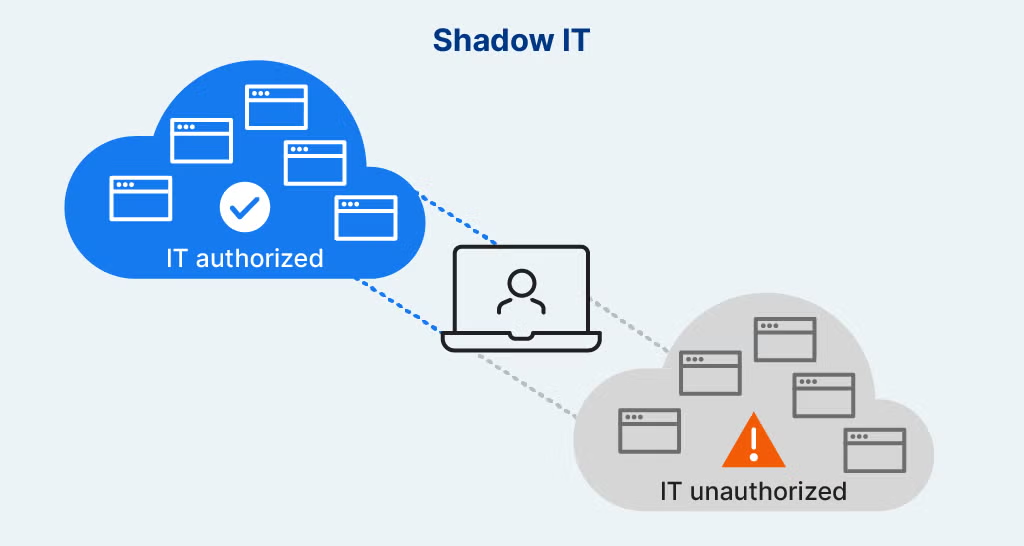
How invisible integrations create real security and compliance gaps
When security teams talk about Shadow IT, they usually think about:
- Unapproved SaaS tools
- Unsanctioned cloud accounts
- Rogue applications outside IT control
In reality, one of the largest Shadow IT surfaces lives directly inside the browser — invisible to traditional SaaS security tools.
The New Face of Shadow IT
Modern employees don’t need admin access to create risk.
They install:
- Browser extensions
- Productivity plugins
- AI assistants
- Embedded SaaS widgets
- OAuth-based integrations
All of these execute inside the browser, often without security review.
No server access required.
No ticket submitted.
No approval granted.
Why Browser-Based Shadow IT Is So Dangerous
Browser-level integrations can:
- Read page content
- Observe form inputs
- Access authentication context
- Interact with APIs using active sessions
- Inject or modify JavaScript
From a backend perspective, these actions appear as normal user behavior.
From a security perspective, they create uncontrolled execution paths.
OAuth Makes Shadow IT Worse
OAuth-based integrations are especially risky because:
- Users grant permissions with a click
- Tokens persist long after usage
- Scopes are often overly broad
- Revocation is rarely monitored
Once authorized, these integrations can:
- Access data continuously
- Operate silently
- Bypass perimeter controls
- Outlive the original business need
All while remaining “legitimate”.
Why SaaS Security Tools Miss This
Most SaaS Security Posture Management (SSPM) tools focus on:
- API configurations
- Admin settings
- Tenant-level permissions
- Audit logs
They do not see:
- Browser execution
- Client-side OAuth usage
- Extension-based access
- DOM-level data exposure
- Script-based SaaS interactions
Shadow IT thrives where visibility ends.
The Compliance Impact
Browser-based Shadow IT affects:
- PCI DSS client-side controls
- SOC 2 access assurance
- Data protection and privacy obligations
- Audit trail completeness
Auditors increasingly ask:
- How do you know what runs in the browser?
- How do you detect unauthorized integrations?
- How do you validate runtime access paths?
Most organizations cannot answer confidently.
A Common Breach Pattern
Many modern incidents follow this path:
- User installs or authorizes a tool
- Tool gains access to sensitive flows
- Behavior changes over time
- Data is accessed or exfiltrated
- No alerts fire
No exploit.
No malware.
No backend compromise.
Just invisible execution.
Why Blocking Alone Doesn’t Work
Attempts to control Shadow IT via:
- Policies
- Awareness training
- Allowlists
- Periodic reviews
Fail because:
- Tools evolve
- Permissions drift
- Users find workarounds
- Visibility is incomplete
Without detection, enforcement is guesswork.
How BreachFin Brings Shadow IT Into the Light
BreachFin focuses on runtime visibility, not assumptions.
BreachFin helps teams:
- See what scripts and integrations execute in the browser
- Detect unexpected execution paths
- Identify unauthorized client-side behavior
- Monitor drift over time
This turns Shadow IT from an invisible risk into a manageable one.
Why This Matters for Modern Security Programs
As SaaS adoption grows:
- Browser becomes the control plane
- Users become integrators
- Execution replaces configuration as the risk vector
Security programs must adapt accordingly.
Final Takeaway
Shadow IT no longer lives only in cloud accounts.
It lives in browsers — silently, dynamically, and continuously.
If your security strategy cannot see:
- Browser execution
- Client-side integrations
- OAuth-driven access paths
Then Shadow IT is operating unchecked.
Modern SaaS security requires visibility where users actually work —
inside the browser runtime.
That is the layer BreachFin is designed to illuminate.